Next.js vs React: Which One to Choose in 2026?
A comprehensive comparison of Next.js and React to help you decide the best framework for your next project. Learn the key differences, pros, cons, and when to use each.


Introduction
Choosing between Next.js and React is one of the most common decisions developers face in 2026. Both are powerful tools created by industry leaders, but they serve different purposes and excel in different scenarios.
In this comprehensive guide, we'll break down everything you need to know to make the right choice for your project. Whether you're building a simple landing page or a complex web application, this article will help you decide.
This comparison is based on the latest versions as of January 2026 - React 19 and Next.js 15.
What is React?
React is a JavaScript library developed by Facebook (now Meta) for building user interfaces. It's component-based and focuses primarily on the view layer of your application.
React gives you the building blocks, but you decide how to put them together. This means more flexibility, but also more decisions to make.
 React ecosystem with popular libraries and tools
React Key Features
- Virtual DOM - Efficient updates and rendering
- Component-Based - Reusable UI components
- One-Way Data Flow - Predictable data management
- JSX Syntax - Write HTML-like code in JavaScript
- Large Ecosystem - Thousands of libraries and tools
What is Next.js?
Next.js is a React framework developed by Vercel. It builds on top of React and provides additional features like server-side rendering, static site generation, and file-based routing out of the box.
Think of Next.js as React with batteries included. It makes many decisions for you, following best practices and optimizations.
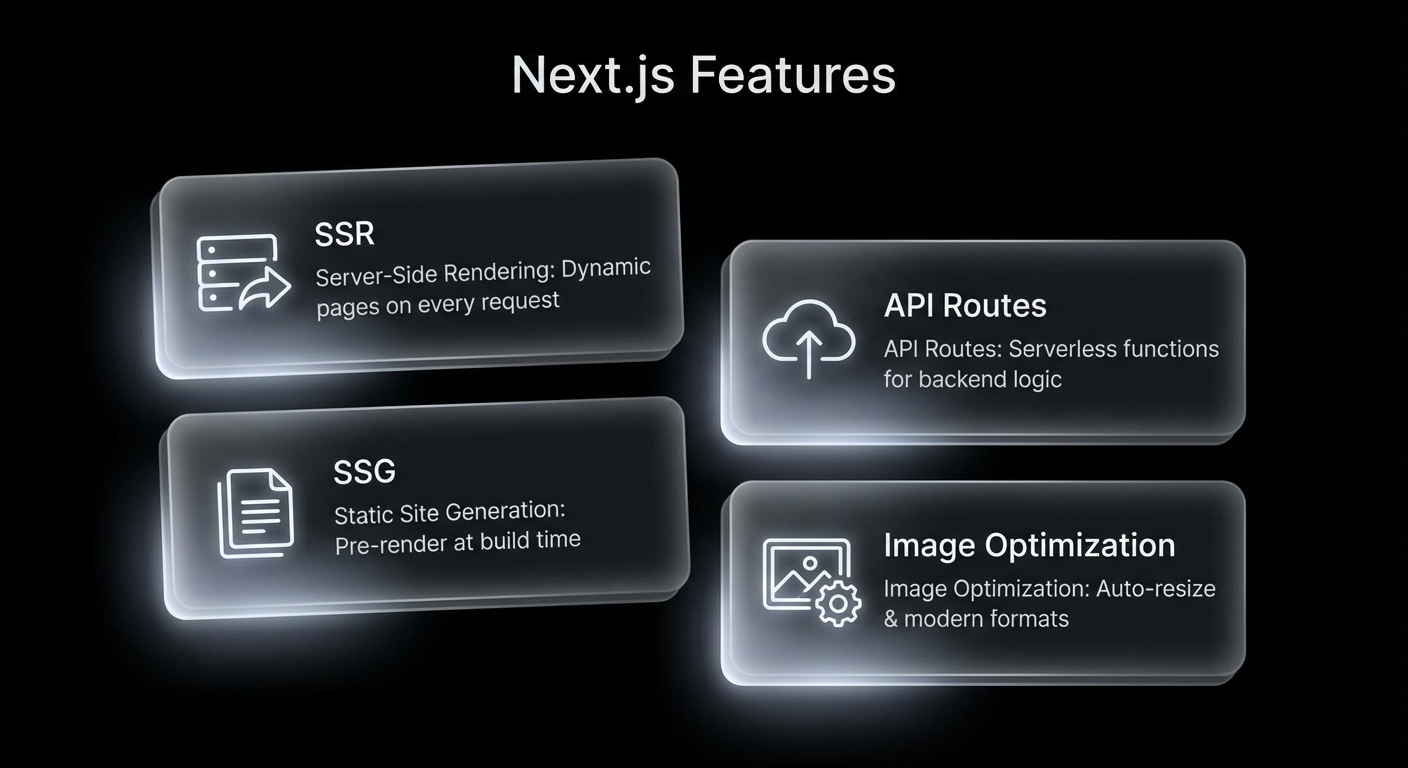 Next.js provides SSR, SSG, API routes, and more out of the box
Next.js Key Features
- File-Based Routing - Create pages by adding files
- Server-Side Rendering (SSR) - Better SEO and performance
- Static Site Generation (SSG) - Pre-render pages at build time
- API Routes - Build backend APIs in the same project
- Image Optimization - Automatic image optimization
- Built-in CSS Support - CSS Modules, Sass, and more
Quick Comparison Table
| Feature | React | Next.js |
|---|---|---|
| Type | Library | Framework |
| Routing | Manual (React Router) | Built-in (File-based) |
| Server-Side Rendering | Manual setup required | Built-in |
| Static Generation | Not available | Built-in |
| SEO | Poor (without SSR) | Excellent |
| Learning Curve | Easier | Moderate |
| Bundle Size | You control it | Optimized automatically |
| Hosting | Any static host | Vercel, any Node.js host |
Pros & Cons
Let's look at the advantages and disadvantages of each option to help you make an informed decision.
- Maximum flexibility and control
- Lighter initial bundle
- Easier to learn basics
- Huge ecosystem and community
- Works great for SPAs
- No server required
- No built-in routing
- Poor SEO without extra setup
- More configuration needed
- No SSR out of the box
- Decision fatigue
- Excellent SEO capabilities
- Built-in routing
- SSR and SSG included
- API routes for backend
- Automatic optimizations
- Great developer experience
- Steeper learning curve
- Less flexibility
- Requires Node.js server (for SSR)
- Vercel-centric ecosystem
- More complex deployment
When to Use React?
React is the better choice in these scenarios:
- Single Page Applications (SPAs) - When SEO isn't critical and you want a smooth, app-like experience
- Admin Dashboards - Internal tools where search engines don't need to index your content
- Mobile Apps - Using React Native for cross-platform development
- Maximum Control - When you want to choose every library and tool yourself
- Existing Backend - When you already have a separate backend API
If you're building a dashboard or admin panel, consider using Vite with React for faster development experience than Create React App.
When to Use Next.js?
Next.js is the better choice in these scenarios:
- SEO-Critical Websites - Marketing sites, blogs, e-commerce where search ranking matters
- Content Websites - Blogs, documentation, news sites
- E-Commerce - Product pages need to be indexed by search engines
- Full-Stack Applications - When you want frontend and backend in one project
- Performance-Critical - When you need the best possible loading speeds
Performance Comparison
Performance is where Next.js really shines, especially for content-heavy websites. Let's look at the numbers:
| Metric | React (CRA) | Next.js | Winner |
|---|---|---|---|
| First Contentful Paint | 2.5s | 0.8s | Next.js ✓ |
| Time to Interactive | 4.2s | 1.5s | Next.js ✓ |
| Initial Bundle Size | 250KB | 85KB | Next.js ✓ |
| Lighthouse Score | 72 | 95 | Next.js ✓ |
| Core Web Vitals | Needs work | Optimized | Next.js ✓ |
 Lighthouse performance scores comparison
Code Example: Routing
One of the biggest differences is how routing works. Let's see both approaches:
React with React Router
// React requires manual routing setup
import { BrowserRouter, Routes, Route } from 'react-router-dom';

function App() {
  return (
    <BrowserRouter>
      <Routes>
        <Route path="/" element={<Home />} />
        <Route path="/about" element={<About />} />
        <Route path="/blog/:slug" element={<BlogPost />} />
      </Routes>
    </BrowserRouter>
  );
}
Next.js (File-Based Routing)
// Next.js - Just create files!
// app/page.jsx         → /
// app/about/page.jsx   → /about
// app/blog/[slug]/page.jsx → /blog/:slug

// No configuration needed!Next.js 13+ uses the App Router by default. If you're following older tutorials, they might use the Pages Router which has different conventions.
Real-World Example: E-Commerce
Let's see how you'd approach building an e-commerce site with each:
With React
You'd need to set up React Router, configure SSR manually with something like Express, handle SEO with React Helmet, and set up your own build optimizations.
With Next.js
Create your pages in the app folder, use built-in Image component for optimization, leverage SSG for product pages, and use API routes for cart functionality. Everything is configured for you.
Watch: Visual Comparison
Here's a great video that explains the differences visually:
Key Takeaways
- React is a library, Next.js is a framework built on React
- Choose React for SPAs, dashboards, and when you need maximum flexibility
- Choose Next.js for SEO-critical sites, blogs, e-commerce, and when you want batteries included
- Next.js offers better performance out of the box with automatic optimizations
- Both are excellent choices - the "best" depends on your specific project needs
Our Recommendation
At Arcenik Technologies, here's what we typically recommend to our clients:
For Most Projects in 2026: Choose Next.js
Unless you have a specific reason to use plain React, Next.js offers too many benefits to ignore. The SEO advantages, performance optimizations, and developer experience make it the default choice for most web projects.
However, we still use React (with Vite) for:
- Internal admin dashboards
- Prototypes and MVPs that will be rebuilt
- Projects with existing React codebases
- When the client specifically requests it
Conclusion
Both React and Next.js are excellent tools that continue to evolve in 2026. The key is understanding your project requirements and choosing the tool that best fits those needs.
If SEO matters, if performance is critical, or if you want a smoother development experience - go with Next.js.
If you need maximum flexibility, are building an SPA, or have specific architectural requirements - React is still a fantastic choice.
Whichever you choose, you're in good hands with the React ecosystem!
Related reading: Top 10 JavaScript Frameworks in 2026: Complete Comparison · Custom Website vs Template: Which Should You Choose in 2026? · our web development services
We offer free consultations to help you choose the right technology for your project. Contact us to discuss your requirements!