Shopify vs WooCommerce: Which Platform Should You Choose in 2026?
Honest comparison of Shopify and WooCommerce for your online store. Pricing, features, ease of use, and real recommendations based on your business type.

Introduction
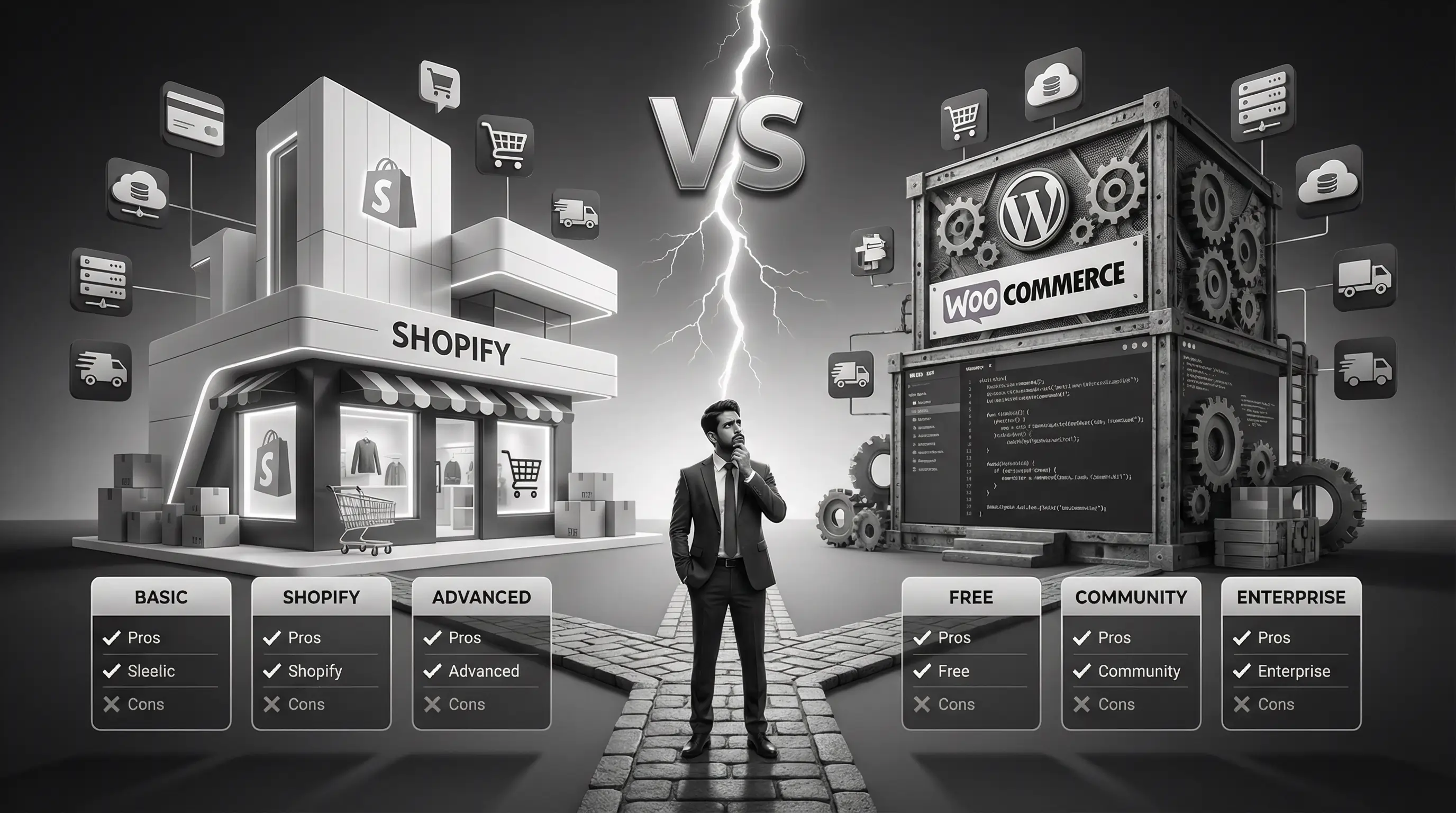
So you want to sell online. Great decision. But now you're stuck at the classic crossroads: Shopify or WooCommerce?
Both platforms power millions of online stores. Both can technically do everything you need. Yet they're fundamentally different in how they work, what they cost, and who they're best for.
I've built stores on both platforms over the years — for small handmade businesses, mid-sized brands, and large-scale operations. Here's what I've learned: there's no universally "better" platform. There's only the better platform for you.
This guide will help you figure out which one that is. No fluff, no bias — just honest comparisons and clear recommendations.
Let's break it down.
Quick Overview: What Are They?
Shopify — The All-in-One Solution
Shopify is a hosted e-commerce platform. Everything you need — hosting, security, payment processing, store builder — comes bundled together. You pay a monthly fee, and Shopify handles the technical stuff.
Think of it like renting a fully-furnished apartment. You move in, arrange your furniture (products), and start living (selling). The landlord (Shopify) maintains the building.
WooCommerce — The Flexible Plugin
WooCommerce is a free WordPress plugin that turns any WordPress website into an online store. You install it on your own hosting, customize it however you want, and manage everything yourself.
Think of it like buying land and building your own house. You have complete control over the design, but you're also responsible for maintenance, security, and everything else.
WooCommerce powers around 39% of all online stores globally. Shopify powers about 10%. But market share doesn't mean one is better — WooCommerce's numbers are inflated because it's free and WordPress is everywhere.
Head-to-Head Comparison
Let's compare these platforms across the factors that actually matter when running an online store.
| Factor | Shopify | WooCommerce |
|---|---|---|
| Starting Cost | ₹2,000/month (Basic plan) | Free (+ hosting ₹3,000-10,000/year) |
| Ease of Use | ⭐⭐⭐⭐⭐ Very Easy | ⭐⭐⭐ Moderate Learning Curve |
| Customization | ⭐⭐⭐ Limited to themes/apps | ⭐⭐⭐⭐⭐ Unlimited |
| Payment Gateways | Shopify Payments + 100+ options | Razorpay, PayU, Instamojo + 100+ options |
| Transaction Fees | 0% with Shopify Payments, 2% otherwise | 0% (only gateway fees) |
| Hosting | Included | You arrange separately |
| Security | Handled by Shopify | Your responsibility |
| SEO Capabilities | ⭐⭐⭐⭐ Good | ⭐⭐⭐⭐⭐ Excellent (with plugins) |
| Scalability | ⭐⭐⭐⭐ Great for most | ⭐⭐⭐⭐⭐ Unlimited |
| Support | 24/7 official support | Community + developer support |
Numbers only tell part of the story. Let's dig deeper into each factor.
Pricing: The Real Cost Breakdown
This is where most people get confused. Shopify has clear monthly pricing. WooCommerce is "free." But the actual cost? It's more nuanced.
Shopify Pricing
Shopify offers three main plans:
- Basic Shopify — $39/month (~₹3,250/month)
- Shopify — $105/month (~₹8,750/month)
- Advanced Shopify — $399/month (~₹33,250/month)
This includes hosting, SSL certificate, and basic features. But you'll likely spend more on:
- Premium themes — $150-350 one-time
- Apps — $10-100/month each (most stores use 5-10 apps)
- Transaction fees — 2% if not using Shopify Payments
Realistic Year 1 cost for a small store: ₹60,000 - ₹1,50,000
WooCommerce Pricing
WooCommerce plugin is free. But you'll pay for:
- Hosting — ₹3,000-15,000/year (quality matters here)
- Domain — ₹500-1,000/year
- SSL Certificate — Free with most hosts, or ₹1,000-5,000/year
- Premium theme — ₹3,000-8,000 one-time
- Essential plugins — ₹5,000-20,000/year
- Developer help — Variable (if you can't DIY)
Realistic Year 1 cost for a small store: ₹15,000 - ₹60,000
Cheap hosting for WooCommerce is a trap. Your store will be slow, crash during traffic spikes, and frustrate customers. Budget at least ₹5,000-10,000/year for decent hosting. Cloudways, SiteGround, or Starter plan of managed WooCommerce hosts work well.
Ease of Use
This is often the deciding factor for non-technical store owners.
Shopify: Plug and Play
Shopify wins here, hands down. Within an hour, you can:
- Sign up for an account
- Choose a theme
- Add your first products
- Set up payments
- Launch your store
The interface is intuitive. Everything is where you'd expect it to be. Adding products, managing orders, updating inventory — it all feels simple.
You don't need to know anything about code, hosting, or websites. Shopify handles the complexity behind the scenes.
WooCommerce: Learning Curve Required
WooCommerce assumes you know WordPress. If you don't, there's a learning curve.
You'll need to understand:
- How to install and manage WordPress
- How plugins work
- Basic hosting concepts
- How to update software safely
- Troubleshooting when things break
It's not rocket science, but it's not plug-and-play either. Most people take a few weeks to feel comfortable with WooCommerce.
The trade-off? That learning investment gives you far more control and flexibility long-term.
 Shopify's dashboard — clean, simple, everything in one place
Customization & Flexibility
Here's where WooCommerce pulls ahead.
Shopify Customization
Shopify lets you customize within its ecosystem. You can:
- Choose from 100+ free and paid themes
- Adjust colors, fonts, and layouts with the theme editor
- Add functionality through 8,000+ apps in the Shopify App Store
- Edit some code (Liquid templating language) if you know how
But there are limits. You can't fundamentally change how Shopify works. You're customizing within their system, not building something entirely new.
Need a specific feature that doesn't exist as an app? You're stuck or paying for expensive custom development.
WooCommerce Customization
WooCommerce has virtually no limits. It's open-source, meaning you can:
- Access and modify any code
- Build completely custom features
- Choose from thousands of themes (not just WooCommerce-specific ones)
- Install any WordPress plugin for added functionality
- Create unique checkout flows, product pages, anything
Want to integrate with a custom ERP system? Build a unique subscription model? Create a multi-vendor marketplace? WooCommerce can do it — with development work.
Most small stores don't need crazy customization. Standard product pages, cart, checkout — both platforms do this well. But if you have specific requirements, WooCommerce's flexibility matters a lot.
Payment Gateways (India-Specific)
For Indian businesses, this is crucial. Let's see how both handle payments.
Shopify Payment Options in India
Shopify Payments isn't available in India (as of 2026). So you'll use third-party gateways:
- Razorpay
- PayU
- CCAvenue
- Cashfree
- Instamojo
Important: Using third-party gateways means Shopify charges an additional 2% transaction fee on top of your gateway's fees. On Basic plan, you're paying gateway fees PLUS Shopify's cut.
Upgrading to higher Shopify plans reduces this, but it still adds up.
WooCommerce Payment Options in India
WooCommerce works with all major Indian payment gateways:
- Razorpay (most popular, excellent plugin)
- PayU
- CCAvenue
- Instamojo
- Paytm Payment Gateway
- PhonePe
Key advantage: No platform transaction fees. You only pay your payment gateway's charges (typically 2% + GST).
For a store doing ₹10 lakhs/year in sales, avoiding Shopify's 2% fee saves you ₹20,000 annually. That adds up.
| Annual Sales | Shopify Extra Fee (2%) | WooCommerce Extra Fee |
|---|---|---|
| ₹5 Lakhs | ₹10,000 | ₹0 |
| ₹10 Lakhs | ₹20,000 | ₹0 |
| ₹25 Lakhs | ₹50,000 | ₹0 |
| ₹50 Lakhs | ₹1,00,000 | ₹0 |
SEO Capabilities
If organic traffic matters to your business (it should), SEO capabilities are important.
Shopify SEO
Shopify has decent SEO features:
- Editable title tags and meta descriptions
- Auto-generated sitemap
- SSL included
- Clean URL structure (though not fully customizable)
- Mobile-responsive themes
But there are limitations:
- URLs have forced prefixes (/products/, /collections/) — you can't change this
- Limited blogging capabilities compared to WordPress
- Duplicate content issues with product variants and collections
- Less control over technical SEO elements
WooCommerce SEO
WooCommerce + WordPress is SEO powerhouse:
- Complete URL control — structure them however you want
- Yoast SEO or RankMath plugins — industry-leading SEO tools
- Full blogging capabilities (WordPress was built for content)
- Complete control over schema markup
- No platform limitations on technical SEO
If content marketing and organic search are central to your strategy, WooCommerce is objectively better for SEO. It's not even close.
Security & Maintenance
This is where the hosted vs self-hosted difference really shows.
Shopify Security
Shopify handles everything:
- SSL certificates — included and auto-renewed
- PCI DSS compliance — Shopify is Level 1 compliant
- Software updates — automatic, you don't touch anything
- Backups — handled by Shopify
- Uptime — 99.99% guaranteed
You literally don't have to think about security. It just works.
WooCommerce Security
Security is your responsibility:
- SSL certificate — you arrange (most hosts include free Let's Encrypt)
- Updates — WordPress, WooCommerce, themes, plugins all need updating
- Backups — you set up (plugins like UpdraftPlus help)
- Malware scanning — you install security plugins (Wordfence, Sucuri)
- Uptime — depends on your hosting quality
Neglect any of these, and your store becomes vulnerable. Hacked WooCommerce stores are common because owners don't maintain them.
If you're not willing to regularly update your WooCommerce site (or pay someone to do it), stick with Shopify. An unmaintained WordPress site is a security disaster waiting to happen.
Scalability
Can the platform grow with your business?
Shopify Scalability
Shopify scales well for most businesses. Their infrastructure handles traffic spikes without you doing anything. Stores doing millions in revenue run on Shopify successfully.
Limitations appear at very high scale:
- Complex inventory management may need external systems
- Custom features become harder/more expensive
- You're always paying percentage-based fees that grow with revenue
For most businesses, Shopify never becomes a scaling bottleneck.
WooCommerce Scalability
WooCommerce's scalability depends entirely on your hosting and optimization.
On cheap shared hosting? It'll crash with 100 concurrent visitors.
On properly configured cloud hosting with caching and optimization? It can handle millions of visitors.
Major brands run on WooCommerce. But it requires intentional scaling work — upgrading servers, implementing caching, optimizing databases.
The advantage? No percentage fees as you grow. A ₹10 crore/year business on WooCommerce isn't paying ₹20 lakhs in platform transaction fees.
Pros & Cons Summary
- Incredibly easy to set up and use
- No technical knowledge required
- Security and hosting completely handled
- 24/7 customer support
- Reliable uptime and performance
- Great for beginners and non-tech founders
- Monthly fees add up over time
- 2% transaction fee without Shopify Payments
- Limited customization flexibility
- App costs can spiral quickly
- You don't own your platform
- SEO limitations compared to WordPress
- Free plugin (lower starting cost)
- Complete customization freedom
- No platform transaction fees
- Superior SEO capabilities
- You own everything — data, code, content
- Massive plugin ecosystem
- Scales without percentage fees
- Steeper learning curve
- Security is your responsibility
- Requires regular maintenance
- Hosting quality directly impacts performance
- No official 24/7 support
- Can become complex with many plugins
So Which Should You Choose?
After all that comparison, here's my honest recommendation based on who you are:
Choose Shopify If:
- You're not technical and don't want to learn
- You want to launch quickly without hassle
- Peace of mind matters more than cost savings
- Your product catalog is straightforward
- You don't need heavy customization
- Content marketing isn't your primary strategy
- You prefer paying someone to handle everything
Choose WooCommerce If:
- You're comfortable with technology (or willing to learn)
- Budget is a major concern
- SEO and content marketing are important to you
- You need specific customizations
- You want complete ownership and control
- You already have a WordPress site
- Long-term cost efficiency matters more than initial ease
The Honest Truth
For most first-time store owners who just want to start selling, Shopify is the safer choice. You'll spend more money but save headaches.
For business owners who value control, have some technical comfort, or plan to scale significantly, WooCommerce offers better long-term value.
Real Examples: Who Uses What?
Sometimes it helps to see who's using each platform:
Shopify Stores:
- Gymshark (fitness apparel)
- Allbirds (sustainable footwear)
- Kylie Cosmetics
- Bombas
- Many D2C brands in India
WooCommerce Stores:
- Weber (grills)
- Ghostbed (mattresses)
- Porter & York (luxury meats)
- Many content-first businesses
- Custom/complex B2B stores
Both platforms power successful, multi-million dollar businesses. The platform doesn't determine success — execution does.
- Shopify is a hosted all-in-one solution — easy but costlier long-term
- WooCommerce is a free WordPress plugin — flexible but requires maintenance
- Shopify costs more upfront but saves time and stress
- WooCommerce saves money but demands technical involvement
- For Indian stores, WooCommerce avoids Shopify's 2% transaction fee
- WooCommerce is superior for SEO and content marketing
- Shopify wins for ease of use and hands-off operation
- Neither platform is "better" — it depends on your priorities
Conclusion
The Shopify vs WooCommerce debate doesn't have a universal winner. Both platforms successfully power millions of stores worldwide.
Shopify is like hiring a property management company for your rental property — they handle everything, you just collect rent (sales). You pay for convenience.
WooCommerce is like managing your property yourself — more work, more control, and you keep more of the money.
Think about your priorities: Is it ease and speed? Or control and cost efficiency? That answer should guide your choice.
And remember — you can always migrate later. Start where you're comfortable, then evolve as your business grows.
Related reading: Ecommerce Website Cost in India 2026: Complete Pricing Guide · Payment Gateway Integration in India 2026: Razorpay, PayU, Cashfree Compared · our e-commerce solutions
Need help setting up your online store? At Arcenik Technologies, we build e-commerce stores on both Shopify and WooCommerce. We'll recommend the right platform based on your specific business needs — not our preference.
Schedule a free consultation and let's figure out the best path for your online store.