Mobile App Development Cost in India 2026: Complete Breakdown
How much does it cost to build an app in India? Android, iOS, and cross-platform pricing with real numbers and factors that affect cost.

Introduction
"Mujhe ek app banwana hai, kitna lagega?"
This is the most common question we get. And honestly, the answer frustrates most people: "It depends."
But I get it. You need real numbers for budgeting. You can't go to investors or plan a business without knowing what you're getting into financially.
So in this guide, I'm giving you actual numbers. Not vague ranges like "₹50,000 to ₹50 lakhs" (which is useless), but realistic cost breakdowns based on the type of app you want to build.
I'll also explain what actually affects pricing, so you can make smart decisions about features and platforms. By the end, you'll know exactly what budget you need — no surprises.
Let's get into it.
Quick Cost Overview: What Apps Actually Cost in India
Before we dive deep, here's a reality check on app development costs in India for 2026:
| App Type | Freelancer | Small Agency | Premium Agency | Timeline |
|---|---|---|---|---|
| Simple App (MVP) | ₹1-3 Lakhs | ₹3-6 Lakhs | ₹6-12 Lakhs | 6-10 weeks |
| Medium Complexity App | ₹3-8 Lakhs | ₹8-20 Lakhs | ₹20-40 Lakhs | 3-5 months |
| Complex/Enterprise App | ₹10-25 Lakhs | ₹25-60 Lakhs | ₹60 Lakhs - 2 Crores+ | 6-12 months |
| E-commerce App | ₹4-10 Lakhs | ₹10-30 Lakhs | ₹30-80 Lakhs | 4-8 months |
| On-Demand App (Uber clone) | ₹8-20 Lakhs | ₹20-50 Lakhs | ₹50 Lakhs - 1.5 Crores | 5-10 months |
| Social Media App | ₹10-30 Lakhs | ₹30-70 Lakhs | ₹70 Lakhs - 2 Crores+ | 6-12 months |
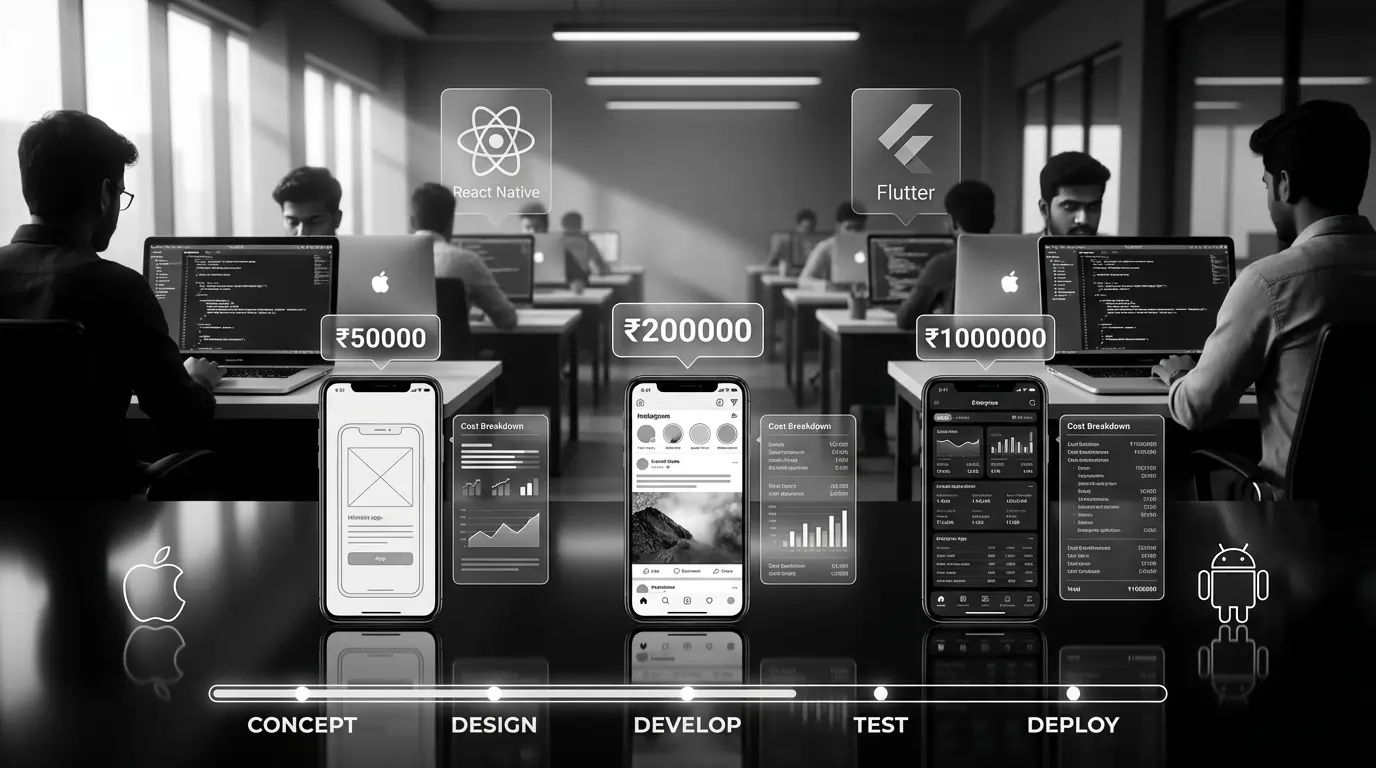
These are realistic 2026 prices for India. Yes, you'll find people offering "apps for ₹50,000" — we'll discuss why that's a trap later.
A "simple app" could mean 5 screens or 20 screens. Could need basic login or social authentication + phone verification + biometrics. Every feature adds cost. That's why we'll break down exactly what affects pricing.
What Are You Actually Paying For?
An app isn't one thing — it's made of multiple components. Understanding this helps you budget smartly and negotiate better.
1. Research & Planning (10-15% of budget)
Before any code is written:
- Market research and competitor analysis
- Feature definition and prioritization
- User flow mapping
- Technical architecture planning
- Project timeline and milestones
Some agencies include this free, others charge ₹50,000 - ₹2,00,000 separately. Either way, you're paying for it somehow.
2. UI/UX Design (15-25% of budget)
Design isn't just making things pretty. It's making your app usable and intuitive:
- Wireframes (basic layouts)
- High-fidelity mockups (actual designs)
- Prototypes (clickable demos)
- Animation and microinteraction design
- Design system and style guide
Good design costs ₹1-5 Lakhs for a medium complexity app. Bad design costs you users.
3. Development (40-50% of budget)
The actual coding. This includes:
- Frontend: What users see and interact with
- Backend: Server, database, business logic
- API development: Connecting frontend to backend
- Third-party integrations: Payment gateways, maps, etc.
- Admin panel: Dashboard to manage the app
4. Testing & QA (10-15% of budget)
Catching bugs before your users do:
- Functional testing
- Performance testing
- Security testing
- Device compatibility testing
- User acceptance testing
5. Deployment & Launch (5% of budget)
Getting your app live:
- App Store submission (Apple)
- Play Store submission (Google)
- Server setup and configuration
- SSL certificates, domain setup
6. Post-Launch (Ongoing)
The hidden cost most people forget:
- Server hosting: ₹2,000 - ₹50,000/month
- Maintenance and updates: ₹10,000 - ₹1,00,000/month
- Bug fixes and improvements
- New feature development
- App Store/Play Store updates
Most first-time founders budget for development but forget ongoing costs. Plan for at least ₹50,000-2,00,000/year in maintenance, hosting, and minor updates. Your app isn't "done" when it launches.
Platform Choice: Android vs iOS vs Both
This decision significantly impacts your budget:
Android Only
Cost: Base price
Pros:
- 85% of India's smartphone users are on Android
- Lower development costs generally
- Faster Play Store approval
- More flexible deployment
Cons:
- More device fragmentation (testing on multiple devices)
- iOS users typically spend more (if monetizing)
Best for: Most India-focused apps, B2C mass market
iOS Only
Cost: Similar to Android, sometimes 10-20% higher
Pros:
- Higher spending users
- Better for premium/luxury brands
- Less device fragmentation
- Easier testing
Cons:
- Only 15% of Indian smartphone market
- Strict App Store guidelines
- Longer approval times
- Requires Mac for development
Best for: Premium products, fintech, enterprise apps, international focus
Both Platforms (Native)
Cost: 1.5x to 2x of single platform
Building separate native apps for Android (Kotlin/Java) and iOS (Swift) means:
- Two codebases to maintain
- Two development teams
- Longer timelines
- Higher ongoing costs
Best for: Large budgets, performance-critical apps, complex native features
Cross-Platform (React Native, Flutter)
Cost: 1.2x to 1.4x of single platform
One codebase, both platforms. The smart choice for most businesses in 2026:
- Flutter (by Google): Growing fast, excellent UI, great performance
- React Native (by Meta): Mature ecosystem, JavaScript-based
Pros:
- Single codebase = lower development and maintenance costs
- Faster development (30-40% faster than native)
- Consistent experience across platforms
Cons:
- Slightly lower performance than native (rarely noticeable)
- Some native features need workarounds
Best for: 90% of business apps, startups, limited budgets, MVPs
For most Indian startups: Build with Flutter or React Native for both platforms. You get 95% of native performance at 60-70% of the cost. Unless you're building a graphics-heavy game or need deep native integrations, cross-platform is the way to go.
Features That Impact Cost
The features you want directly determine your app's cost. Here's what common features add to your budget:
Authentication & User Management
| Feature | Complexity | Added Cost |
|---|---|---|
| Email/Password Login | Basic | ₹20,000 - ₹40,000 |
| Social Login (Google, Facebook) | Basic | ₹30,000 - ₹60,000 |
| Phone OTP Verification | Medium | ₹40,000 - ₹80,000 |
| Biometric Login (Fingerprint/Face) | Medium | ₹50,000 - ₹1,00,000 |
| Two-Factor Authentication | Medium | ₹60,000 - ₹1,20,000 |
| Complete User Profile System | Medium | ₹80,000 - ₹1,50,000 |
Payment Integration
| Feature | Complexity | Added Cost |
|---|---|---|
| UPI Integration (Razorpay/PayU) | Medium | ₹50,000 - ₹1,00,000 |
| Credit/Debit Cards | Medium | ₹40,000 - ₹80,000 |
| Wallet System | High | ₹1,00,000 - ₹2,50,000 |
| Subscription/Recurring Payments | High | ₹1,50,000 - ₹3,00,000 |
| Multiple Payment Gateways | High | ₹2,00,000 - ₹4,00,000 |
Communication Features
| Feature | Complexity | Added Cost |
|---|---|---|
| Push Notifications | Basic | ₹30,000 - ₹60,000 |
| In-App Chat (1-to-1) | High | ₹2,00,000 - ₹5,00,000 |
| Group Chat | Very High | ₹4,00,000 - ₹10,00,000 |
| Voice Calling | Very High | ₹5,00,000 - ₹15,00,000 |
| Video Calling | Very High | ₹8,00,000 - ₹20,00,000 |
Location & Maps
| Feature | Complexity | Added Cost |
|---|---|---|
| Basic Map Display | Basic | ₹30,000 - ₹60,000 |
| User Location Tracking | Medium | ₹60,000 - ₹1,20,000 |
| Live Location Sharing | High | ₹1,50,000 - ₹3,00,000 |
| Route Navigation | High | ₹2,00,000 - ₹4,00,000 |
| Geofencing | High | ₹1,50,000 - ₹3,00,000 |
Other Common Features
- Search with Filters: ₹50,000 - ₹1,50,000
- Image/Video Upload: ₹40,000 - ₹1,00,000
- Reviews & Ratings: ₹60,000 - ₹1,20,000
- Analytics Dashboard: ₹1,00,000 - ₹3,00,000
- Multi-language Support: ₹80,000 - ₹2,00,000
- Offline Mode: ₹1,50,000 - ₹4,00,000
- AR Features: ₹5,00,000 - ₹20,00,000+
- AI/ML Integration: ₹3,00,000 - ₹15,00,000+
Real Examples: What Popular Apps Would Cost to Build
Let's estimate what it would cost to build clones of popular apps (for learning, not copying!):
Zomato/Swiggy Clone
Features:
- User app (browse, order, track, pay)
- Restaurant app (manage orders, menu)
- Delivery partner app (accept orders, navigate)
- Admin panel
- Real-time tracking
- Payment integration
- Reviews and ratings
Estimated Cost: ₹30-60 Lakhs (agency) | ₹15-30 Lakhs (freelancer team)
Timeline: 5-8 months
Ola/Uber Clone
Features:
- Rider app
- Driver app
- Real-time matching algorithm
- Live tracking
- Dynamic pricing
- Payment integration
- Rating system
Estimated Cost: ₹40-80 Lakhs (agency) | ₹20-40 Lakhs (freelancer team)
Timeline: 6-10 months
Instagram Clone (Basic)
Features:
- Photo/video upload
- Filters
- Feed
- Stories
- Direct messaging
- Follow/followers
- Explore page
Estimated Cost: ₹50-100 Lakhs (agency) | ₹25-50 Lakhs (freelancer team)
Timeline: 8-12 months
Simple E-commerce App
Features:
- Product catalog
- Cart and checkout
- Payment integration
- Order tracking
- User accounts
- Push notifications
Estimated Cost: ₹8-20 Lakhs (agency) | ₹4-10 Lakhs (freelancer)
Timeline: 3-5 months
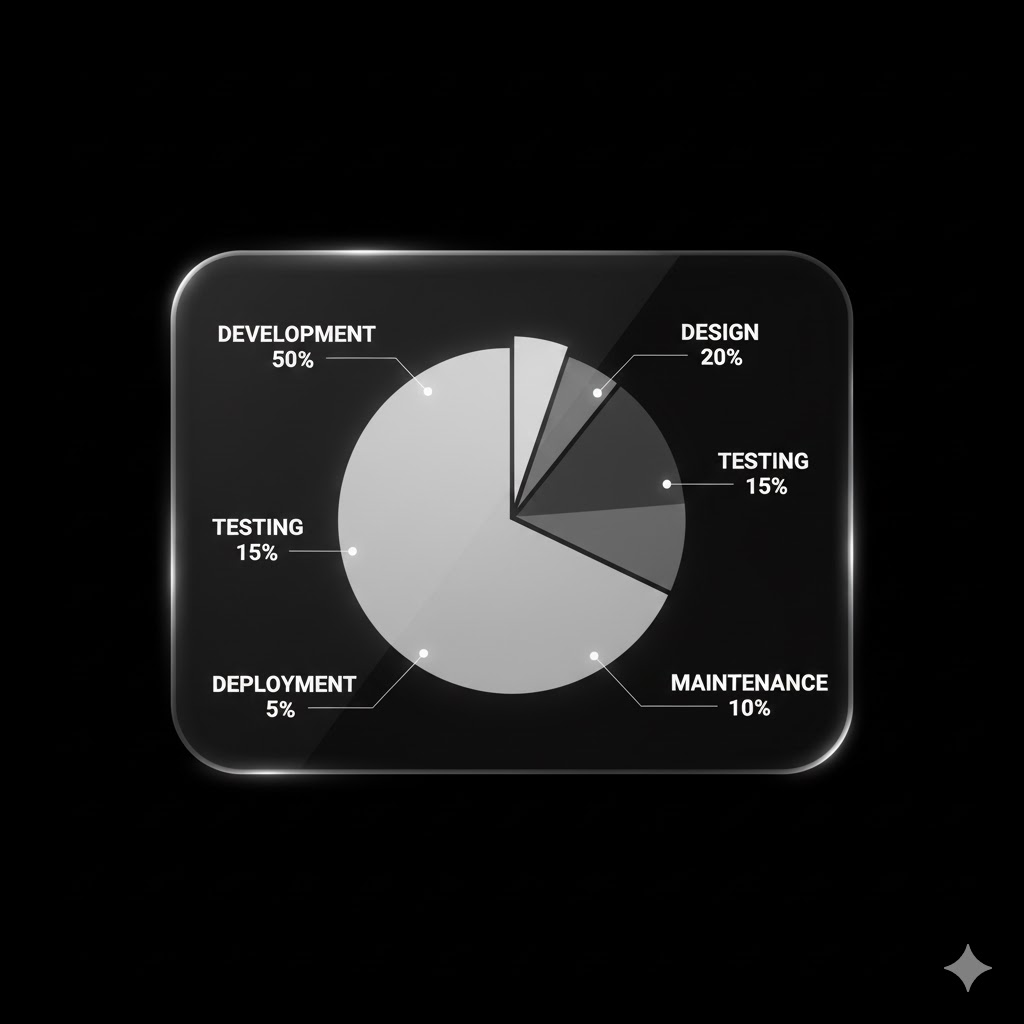 Typical app development cost distribution across phases
Freelancer vs Agency vs In-House Team
Where you build your app affects cost significantly:
Freelancers
Cost: Lowest (50-60% of agency prices)
Typical Hourly Rate: ₹500 - ₹2,500/hour
Pros:
- Cheapest option
- Direct communication
- Flexible and fast for small projects
Cons:
- Single point of failure (what if they disappear?)
- Limited skill range (one person can't do everything well)
- No structured process
- Harder to scale
- Quality varies wildly
Best for: Simple apps, tight budgets, MVPs
Small/Medium Agency
Cost: Middle range
Typical Hourly Rate: ₹2,000 - ₹5,000/hour
Pros:
- Dedicated team (designers, developers, testers)
- Structured process
- Accountability
- Better project management
- Long-term support
Cons:
- Higher cost than freelancers
- May prioritize bigger clients
Best for: Most business apps, serious products
Premium/Enterprise Agency
Cost: Highest
Typical Hourly Rate: ₹5,000 - ₹15,000/hour
Pros:
- Top-tier talent
- Extensive experience with complex projects
- Strong processes and documentation
- Enterprise-grade security
- Reliable delivery
Cons:
- Expensive (often 2-3x small agencies)
- May be slow to start (busy with big clients)
- Overkill for simple apps
Best for: Complex apps, enterprises, funded startups
In-House Team
Cost: Highest upfront, lowest long-term (if continuous development needed)
Monthly Cost for Basic Team:
- 1 Senior Developer: ₹1-2.5 Lakhs/month
- 1 Junior Developer: ₹40,000-80,000/month
- 1 Designer: ₹50,000-1.2 Lakhs/month
- 1 QA: ₹40,000-70,000/month
Total: ₹2.5-5 Lakhs/month (just salaries)
Pros:
- Full control
- Deep product knowledge
- Available anytime
- Builds company IP
Cons:
- Expensive if one-time project
- Hiring takes time
- Management overhead
- Need technical leadership
Best for: Tech companies, continuous development, apps as core business
How to Reduce App Development Cost
Smart strategies to build a quality app without breaking the bank:
1. Start with MVP
Minimum Viable Product — build only what's essential to test your idea. You don't need every feature on day one.
- Identify 3-5 core features
- Skip nice-to-haves for version 1
- Launch, get feedback, iterate
Many successful apps started with basic versions: Instagram was just photo sharing, Uber was just booking rides.
2. Choose Cross-Platform
Flutter or React Native instead of separate native apps. Save 30-40% on development and ongoing maintenance.
3. Use Pre-built Solutions
- Firebase for backend (reduces backend cost significantly)
- Ready-made UI kits (speeds up design)
- Third-party APIs instead of building from scratch
- Payment SDKs like Razorpay (don't build payment systems)
4. Prioritize Features
Create a feature list and categorize:
- Must Have: App doesn't work without these
- Should Have: Important but not critical
- Could Have: Nice additions
- Won't Have: Future phases
Build Must Haves first, add others later.
5. Consider No-Code/Low-Code (For Simple Apps)
Platforms like FlutterFlow, Adalo, or Bubble can work for basic apps:
- Internal business apps
- Simple MVPs
- Prototypes
Not recommended for consumer apps that need to scale.
80% of your users will use only 20% of features. Identify that 20% and build those perfectly. The rest can come in updates. Don't try to build WhatsApp + Paytm + Uber in version 1.
Red Flags: When App Quotes Are Too Low
"₹50,000 mein full app bana denge sir!"
Run. Here's what happens with ultra-cheap development:
- Template apps: Your app looks exactly like 100 others
- No source code: You don't own your app
- Abandoned projects: They disappear after payment
- Hidden costs: "That feature is extra" for everything
- Poor performance: App crashes, slow, buggy
- Security nightmares: Data leaks, hackable code
- No support: Problems after launch? Good luck
I've seen businesses pay ₹50,000, get a broken app, then pay ₹5 Lakhs to rebuild from scratch. Cheap becomes expensive.
Hidden Costs Most Forget
Budget for these beyond development:
Before Launch
- Apple Developer Account: $99/year (~₹8,200/year)
- Google Play Console: $25 one-time (~₹2,100)
- Testing devices: ₹30,000-1,00,000 (if you don't have various phones)
- Third-party services setup: Maps API, SMS gateway, etc.
Ongoing Costs
- Server/Hosting: ₹2,000-1,00,000/month depending on users
- Third-party APIs: Maps, SMS, email, push notifications
- SSL and security: ₹5,000-20,000/year
- Maintenance: 15-20% of development cost annually
- Updates for OS changes: Android/iOS update yearly
- Bug fixes: Stuff breaks, plan for it
Marketing (Often Forgotten)
- App Store Optimization: ₹10,000-50,000
- Launch marketing: Variable (but budget something!)
- User acquisition: ₹20-500 per install depending on category
Questions to Ask Before Getting Quotes
Prepare answers to these before talking to developers:
- What problem does your app solve?
- Who are your target users?
- What are the must-have features?
- Do you need Android, iOS, or both?
- Do you have designs or need them created?
- What's your realistic budget range?
- What's your timeline?
- Do you have content ready (text, images)?
- What third-party integrations are needed?
- Do you need an admin panel?
- What's your expected user count at launch? In 1 year?
- Who will handle post-launch updates?
Clear answers = accurate quotes = fewer surprises.
- Simple apps: ₹3-12 Lakhs | Medium apps: ₹10-40 Lakhs | Complex apps: ₹30 Lakhs - 2 Crores+
- Choose cross-platform (Flutter/React Native) for most apps — save 30-40%
- Start with MVP — build core features first, iterate based on feedback
- Platform matters: Android-only is cheapest, both platforms via cross-platform is smart middle ground
- Features directly impact cost — each feature adds ₹20,000 to ₹20,00,000
- Agency vs Freelancer: Agencies cost more but offer reliability and support
- Budget for ongoing costs: Servers, maintenance, updates (15-20% annually)
- Ultra-cheap quotes are traps — quality costs money, cheap apps cost more long-term
- Hidden costs exist: App store fees, APIs, marketing, hosting
- Get detailed proposals — vague quotes lead to disputes
How to Choose the Right Development Partner
Quick checklist:
- ✅ Portfolio with similar apps
- ✅ Clear, detailed proposal
- ✅ Transparent pricing breakdown
- ✅ Explains technical choices
- ✅ Asks about your business, not just features
- ✅ Offers post-launch support
- ✅ Provides references from past clients
- ✅ Uses proper contract
For a detailed guide, read our article on How to Choose the Best Development Company in India.
Conclusion
Building an app is a significant investment. But with the right planning, you can build something great without overspending.
Remember:
- Start small with MVP, grow based on real user feedback
- Cross-platform saves money without sacrificing quality
- Cheap development often costs more in the long run
- Budget for ongoing costs, not just initial development
- Choose partners based on capability, not just price
Your app is a business investment. Treat it like one. Plan properly, budget realistically, and build something users actually need.
The most successful apps weren't the most expensive to build. They were the ones that solved real problems for real people. Focus on that, and the investment will pay off.
Ready to build your app?
At Arcenik Technologies, we've helped startups and businesses across India turn their app ideas into reality. From simple MVPs to complex multi-platform applications, we deliver quality without unnecessary costs.
Related reading: How Much Does a Website Cost in India in 2026? Complete Pricing Guide · How to Choose the Best Web Development Company in India (2026 Guide) · our development services
Get a free app consultation — we'll discuss your idea, suggest the right approach, and give you a realistic, detailed quote. No obligations, no pushy sales.